

The 8Muses Chauffeur Taxi Booking System for WordPress is a complete transportation booking solution designed for taxi companies, chauffeur services, private car hires, shuttle providers and limousine businesses. With an advanced front end booking form, real time route calculation and a fully equipped admin dashboard, you can streamline your reservation workflow, automate pricing, and deliver a smooth customer experience.
This system integrates effortlessly with any WordPress theme and provides a clean, modern interface adaptable to both desktop and mobile. Whether you run small private services or large fleet operations, this plugin gives you the tools needed to run your booking business efficiently.
Features
1. Complete Booking Workflow
-
Interactive multi step booking form
-
Pickup & drop off selector
-
Google Maps live route preview
-
Real-time distance/time calculations
-
Instant fare estimation
2. Fleet & Vehicle Management
-
Unlimited vehicles
-
Vehicle categories (Sedan, SUV, Limousine, Van, etc.)
-
Custom pricing per category
-
Vehicle availability schedule
3. Driver Management
-
Individual driver accounts
-
Assign drivers to bookings
-
Driver schedules & availability
-
Automatic booking notifications
4. Payment Integration
-
PayPal / Stripe support
-
Cash on delivery
-
Custom payment gateways
-
Discount codes & coupon support
5. Reservation Management
-
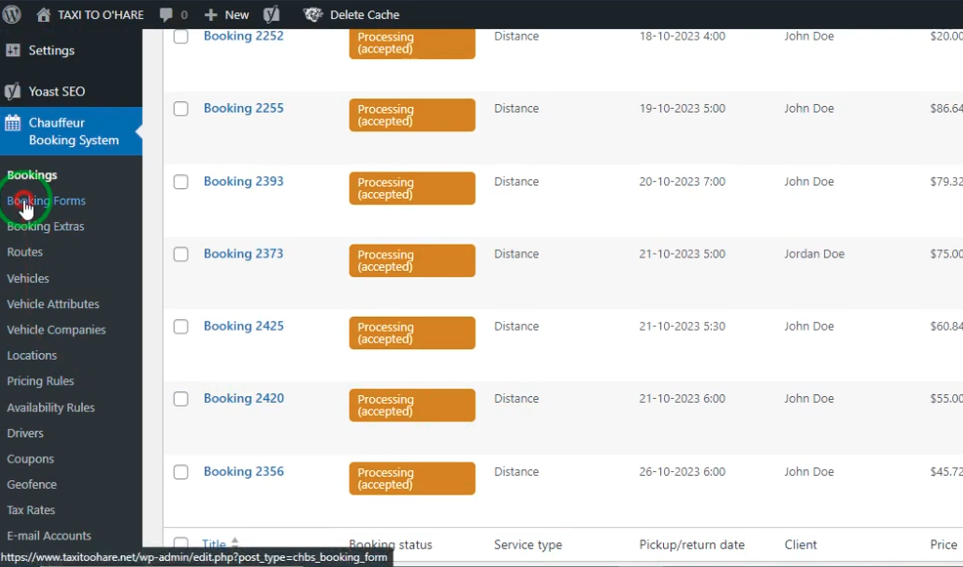
Advanced admin booking panel
-
Booking approvals & cancellations
-
Calendar view for schedules
-
Export bookings (PDF, CSV)
6. Customer Features
-
User friendly mobile booking
-
Booking history & status
-
Email/SMS notifications
-
Editable booking details
7. Business Tools
-
Surge pricing options
-
Zone to zone pricing
-
Hourly and point to point bookings
-
Extra services (child seat, luggage, VIP add-ons)
8. Developer Friendly
-
Shortcodes and widgets
-
Clean code + API friendly
-
Compatible with page builders
-
Easy to customize
Theme Installation
Step 1: Upload & Activate the Plugin
Upload the plugin ZIP via:
Dashboard → Plugins → Add New → Upload Plugin
Step 2: Install Required Add-Ons
The setup wizard will guide you through installing
-
Google Maps API
-
Payment gateway integration
-
Required helper plugins
Step 3: Import Demo Data (Optional)
Import the demo layout to instantly create booking pages and sample settings.
Homepage & Layout

-
Hero section with booking form
-
Fleet showcase grid
-
Pricing tables
-
Testimonials slider
-
Driver/vehicle availability widget
-
FAQ + About section
Shortcodes allow you to place booking forms anywhere, including
-
Homepages
-
Landing pages
-
Sidebars
-
Pop-up modals
Performance & Optimization
-
Lightweight and optimized code
-
Minified JS/CSS for fast loading
-
Image optimization support
-
Caching friendly configuration
-
Google PageSpeed friendly layout
Useful Plugins
-
Elementor / WPBakery – Build custom pages
-
Yoast SEO / Rank Math – Improve SEO
-
WP Super Cache / W3 Total Cache – Speed up the site
-
Loco Translate – Translate content
-
WooCommerce – Add more payment options
Related products





 Chauffeur Taxi Booking System ...
8,00 $
You may add any content here from XStore Control Panel->Sales booster->Request a quote->Ask a question notification
At sem a enim eu vulputate nullam convallis Iaculis vitae odio faucibus adipiscing urna.
Reviews
There are no reviews yet.