

MyThemeShop WP Time To Read is a smart and user friendly WordPress plugin that helps readers know exactly how long it will take to read an article. It automatically calculates the estimated reading time based on word count and displays it neatly within your posts. The plugin is fast, lightweight, and easy to customize, letting you choose where and how the reading time appears. It works perfectly on all devices and supports multiple languages. Whether you run a blog, news site, or tutorial page, this plugin adds a professional touch, improves engagement, and gives your visitors a smoother reading experience.
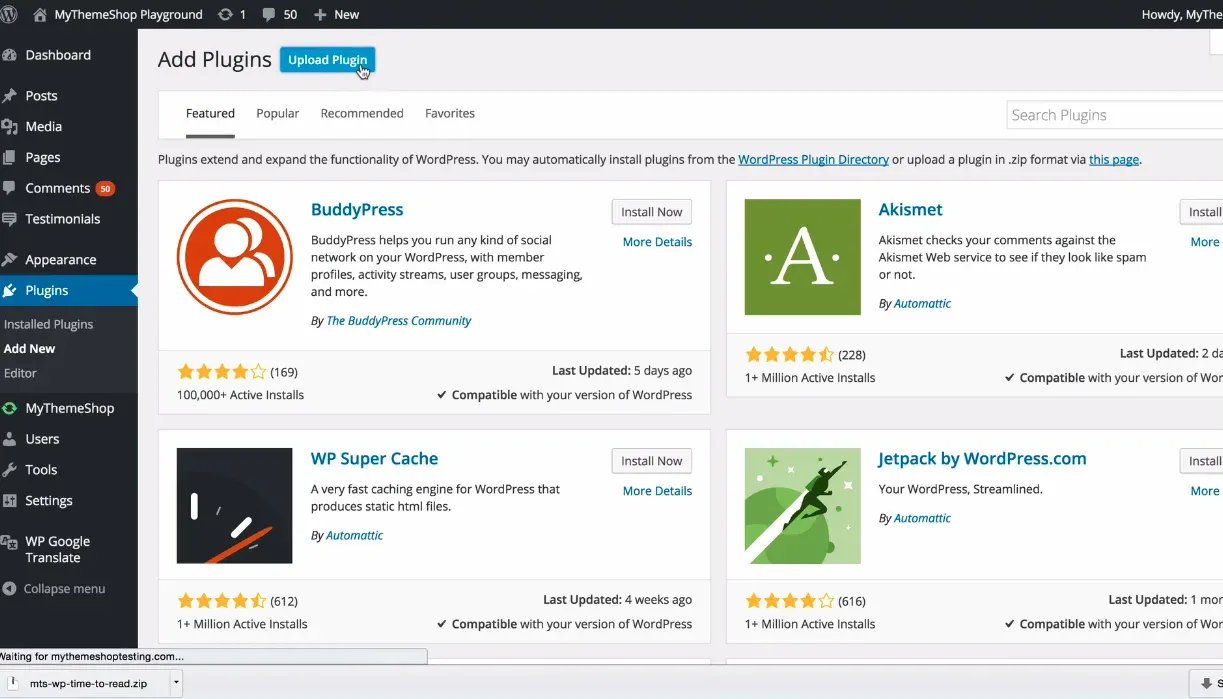
Key Features of MyThemeShop
-
Instantly shows how long it takes to read your post.
-
Auto calculates reading time no setup needed.
-
Fully customizable to match your website style.
-
Lightweight and super fast to load.
-
Looks perfect on all devices.
-
Lets you set your own reading speed.
-
Add anywhere using a simple shortcode.
-
Works with all major WordPress themes and builders.
-
Translation ready for any language.
-
Helps improve user engagement and SEO.
Benefits of Using WP Time To Read
-
Helps readers know how long an article takes.
-
Keeps visitors engaged and reduces bounce rate.
-
Adds a clean, professional touch to posts.
-
Builds trust by being transparent with readers.
-
Improves SEO by increasing reading time.
-
Makes your blog more user friendly and modern.
How It Works
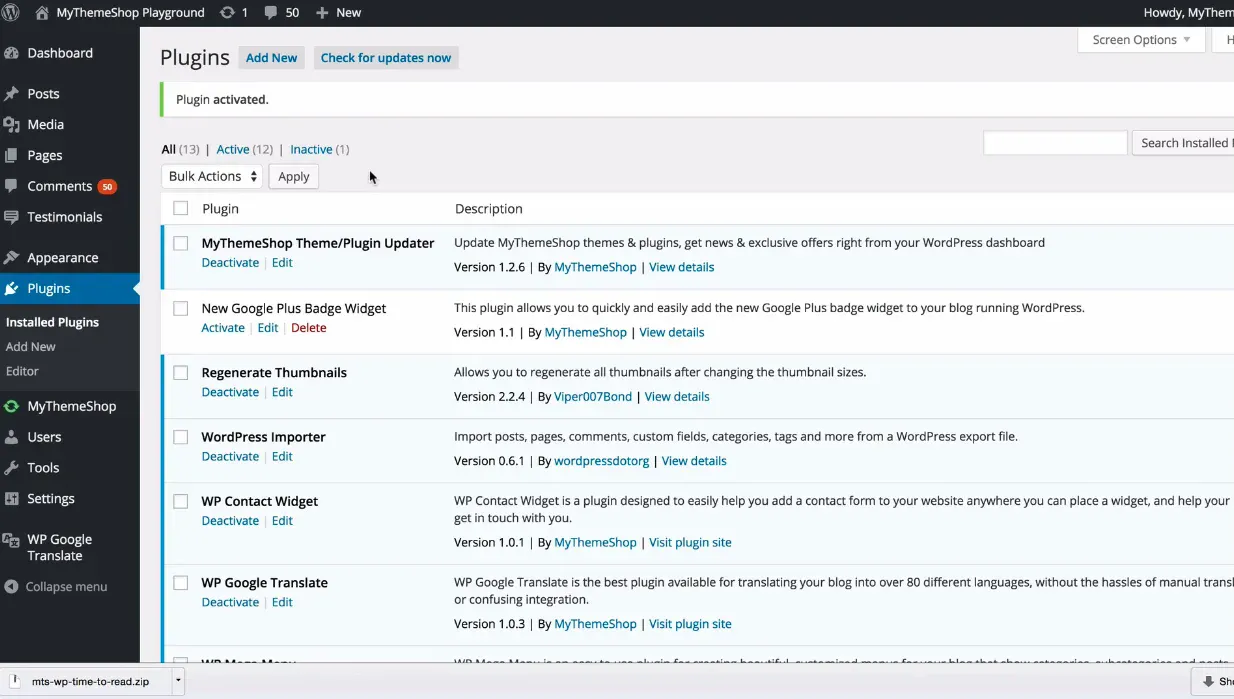
WP Time To Read works seamlessly in the background. When you publish or update a post, the plugin counts the words, divides them by the chosen reading speed, and outputs an estimated time. This value is then displayed wherever you choose on the front end. No coding or technical expertise is required it is as easy as installing and activating the plugin.
Compatibility and Integration
The plugin is designed to work smoothly with all MyThemeShop themes and most modern WordPress themes, including popular builders like Elementor, Divi, and Gutenberg. It also plays well with caching and SEO plugins such as Rank Math, Yoast SEO, and W3 Total Cache.
Performance and Optimization
WP Time To Read has been optimized for speed and minimal resource usage. It follows WordPress coding standards, ensuring it does not conflict with other plugins or slow down your website. Even high traffic blogs can use it without performance concerns.
Who Should Use It
-
Bloggers and writers who publish long articles
-
Online magazines and news websites
-
Tutorial or educational sites
-
Business blogs that post detailed case studies or guides
Conclusion
MyThemeShop WP Time To Read is a subtle but highly effective tool that enhances how users experience your website. It helps visitors manage their time, improves engagement metrics, and adds a professional, modern touch to your blog. With its simple setup, customization options, and lightweight design, it is one of those plugins that deliver maximum value with minimal effort
Related products


Sale!

CSS Igniter Herringbone Woocommerce Theme
Original price was: 15,00 $.8,00 $Current price is: 8,00 $.

 MyThemeShop WP Time To Read
8,00 $
You may add any content here from XStore Control Panel->Sales booster->Request a quote->Ask a question notification
At sem a enim eu vulputate nullam convallis Iaculis vitae odio faucibus adipiscing urna.
Reviews
There are no reviews yet.