
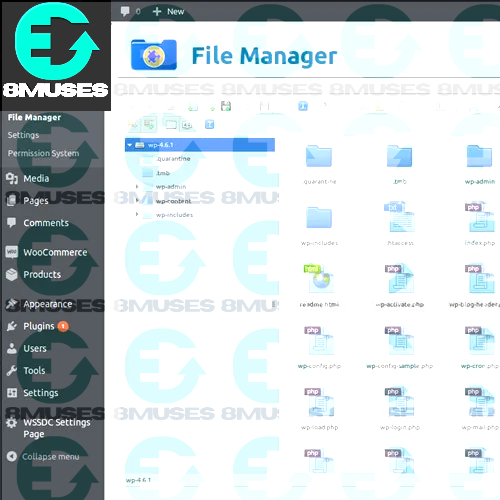
The File Manager Plugin for WordPress is your all in one solution for effortless file management built right into your WordPress dashboard. No more switching between FTP clients or web hosting panels. With this plugin, every file you need is just a click away, neatly organized within WordPress itself. Imagine having your own mini file explorer inside your website that is exactly what this plugin gives you. You can easily upload, edit, move, copy, rename, download, and delete files and folders, just like you do on your computer. Everything feels familiar, fast, and intuitive.
It supports all major file types, from images and documents to code files and archives, so you can work with whatever your site needs. You can even open and edit files directly within the dashboard using the built-in text and code editor no external tools required.
How to Use
The Advanced File Manager Plugin is designed to give you full control over your WordPress website files directly from your dashboard. It is fast, powerful, and easy to use. You do not need to touch FTP or your hosting panel anymore.
Step 1: Install the Plugin
-
Log in to your WordPress Dashboard.
-
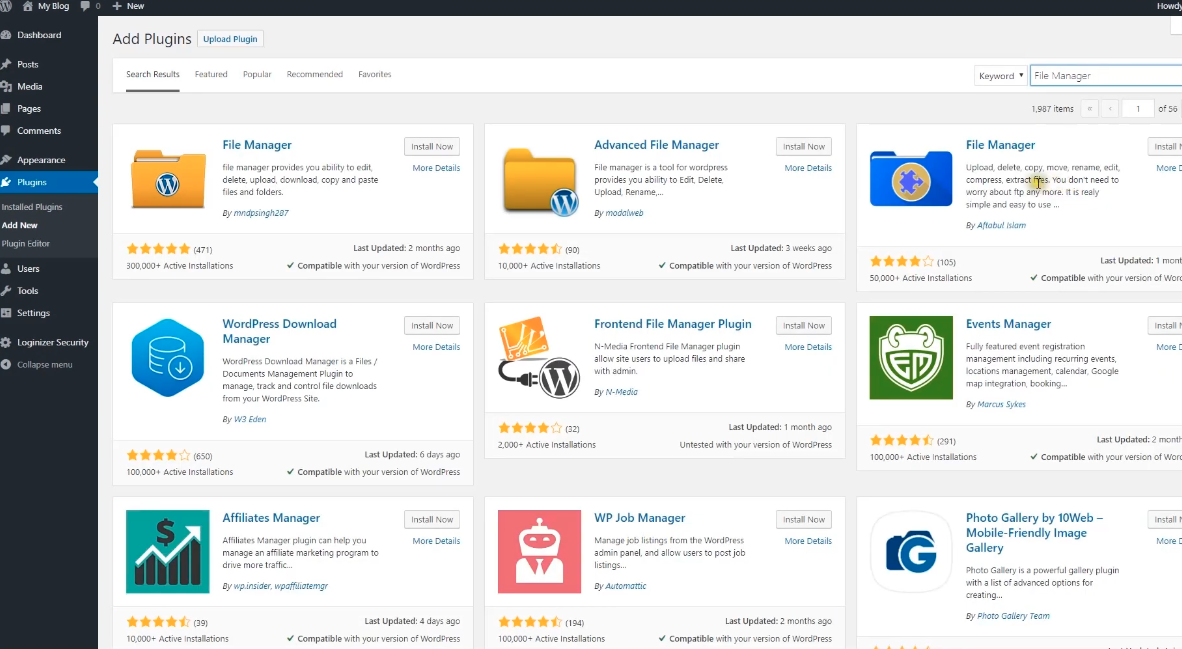
Go to the menu on the left and click Plugins → Add New.
-
In the search box, type “Advanced File Manager”.
-
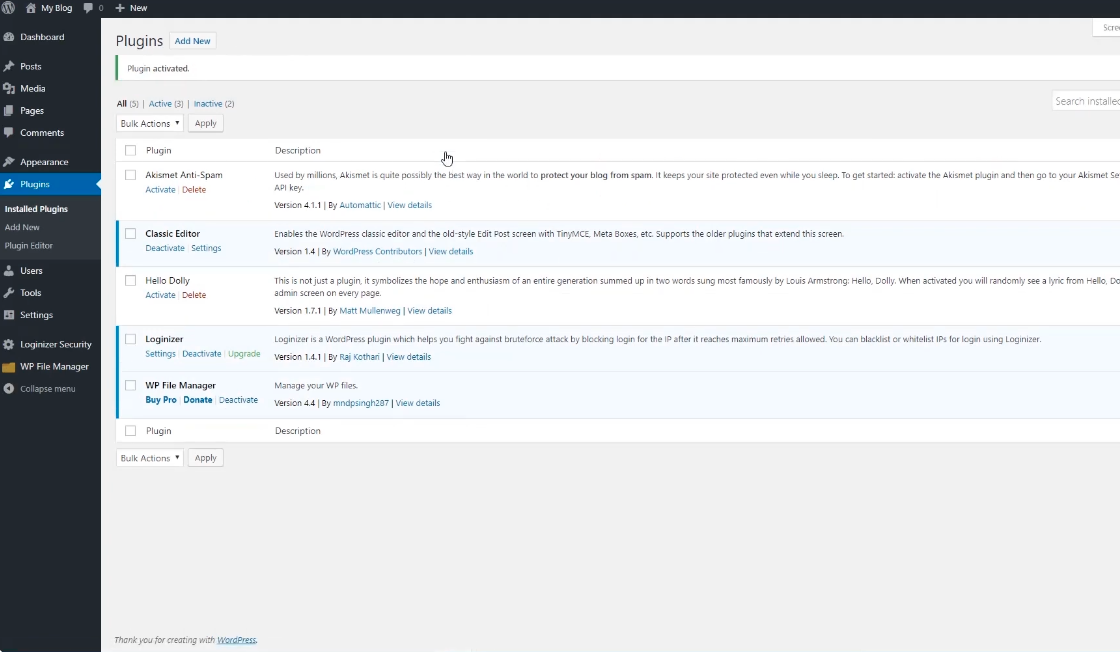
Click Install Now, then Activate once the installation is complete.
Alternatively, if you have downloaded the plugin as a ZIP file
-
Click Upload Plugin at the top of the Add Plugins page.
-
Choose the ZIP file from your computer and click Install Now.
-
Then, click Activate Plugin.
Step 2: Open the File Manager
Click on Advanced File Manager in your dashboard menu.
You will see an interface that looks like your computer’s file explorer complete with folders and files from your WordPress installation.
-
wp-content
-
wp-admin
-
plugins
-
themes
-
uploads
Step 3: Manage Files and Folders
Now you are ready to start managing your files directly inside WordPress.
-
Upload Files: Drag and drop files or click the upload button to add new files instantly.
-
Edit Files: Double click a file to open it in the built in editor. Perfect for editing code, text, or configuration files.
-
Rename, Copy, Move, or Delete: Manage your files and folders easily, just like you would on your computer.
-
Download Files: Click to download files directly to your device.
-
Create New Folders: Stay organized by creating folders for themes, backups, or media.
Step 4: Use the Built in Code Editor
The Advanced File Manager comes with a built in code editor for developers.
You can edit PHP, HTML, CSS, and JS files safely with syntax highlighting and line numbering.
-
Making quick theme edits
-
Adjusting plugin settings
-
Adding custom code snippets
Step 5: Manage User Permissions
If multiple users work on your website, you can control who has access to the file manager.
-
Set file access by user role (Admin, Editor, Author)
-
Restrict sensitive directories
-
Allow or deny file editing for specific users
Step 6: Stay Safe and Organized
-
Always backup your site before editing important files.
-
Avoid deleting or editing WordPress core files unless necessary.
-
Keep your plugin updated for the latest features and security improvements.
-
Use descriptive names for files and folders to stay organized.
Why You Should Use a File Manager Plugin
Every WordPress site runs on files themes, plugins, uploads, scripts, and more. Normally, managing these files requires FTP access or hosting control panels, which can be confusing and time consuming.
A File Manager Plugin simplifies all of that. Here’s why you’ll love using one:
-
No FTP or cPanel Needed – Access your site files directly from the WordPress dashboard.
-
Instant File Access – Upload, download, or edit files in seconds.
-
Built In Code Editor – Make code changes directly and safely, with syntax highlighting and quick save options.
-
Organized Workflow – Keep everything tidy with drag and drop folder management.
-
User Permissions – Control who can access or edit files, adding an extra layer of security.
-
Time Saving – Eliminate the need to switch between tools; everything you need is in one place.
WP File Manager
WP File Manager is one of the most widely used file management plugins for WordPress. It is popular for its clean interface and easy functionality. You can upload, rename, copy, delete, and edit files effortlessly. It also comes with advanced options like file previews, zip and unzip functions, and a built in text editor.
For anyone looking for a reliable all in one solution, WP File Manager is a solid choice it is straightforward and works beautifully for beginners and developers alike.
File Manager Advanced
File Manager Advanced focuses on providing flexibility for users who need more control. With this plugin, you can manage multiple file types, create folders, restrict access, and even set different permissions for users.
It is especially useful for team environments, where not everyone should have full access to all files. File Manager Advanced gives you both power and safety all inside a clean, easy to use layout.
WPIDE File Manager & Code Editor
If you often edit code or build custom WordPress solutions, WPIDE is designed for you. It combines a file manager with a professional grade code editor, complete with syntax highlighting, auto formatting, and error checking.
You can work on theme files, plugin scripts, or even custom PHP functions without leaving the WordPress admin panel. WPIDE is ideal for developers who want efficiency, speed, and precision when managing their site’s files.
The 8Muses File Manager Plugin
The 8Muses File Manager Plugin brings together everything you need ease of use, advanced control, and clean design. It is built for creators, developers, and business owners who value efficiency and simplicity.
-
Access and organize all your files right from your dashboard.
-
Upload and edit files instantly using drag and drop.
-
Create, rename, and manage folders with a single click.
-
Edit code securely with an integrated editor.
-
Manage file permissions for better team collaboration.
Final Thoughts
A good File Manager Plugin is more than just a convenience it is a necessity for anyone serious about managing their WordPress site efficiently. The 8Muses File Manager Plugin gives you the freedom to handle your site files confidently, with powerful tools that are still easy to use.
Related products





 File Manager Plugin For WordPr...
8,00 $
You may add any content here from XStore Control Panel->Sales booster->Request a quote->Ask a question notification
At sem a enim eu vulputate nullam convallis Iaculis vitae odio faucibus adipiscing urna.
Reviews
There are no reviews yet.